
Boxed pricing, real units
Sell by the box or the piece — RouteFlow tracks and converts both, so a partial-box order doesn't get charged a full-box rate by accident.
FOR WHOLESALERS & DISTRIBUTORS
RouteFlow runs your order lifecycle in one system, so nothing gets re-typed, re-priced, or re-checked by hand between the phone call and the invoice.
Orders, routes, and customer accounts in one workspace.
Plan this example order.

Change the quantity. Follow the same items through the order.
Interactive illustration, not a live account. Changes stay in this example.
ONE ORDER, START TO FINISH
Every one of these steps is the same order record — nothing gets re-typed or re-priced between the phone call and the invoice.
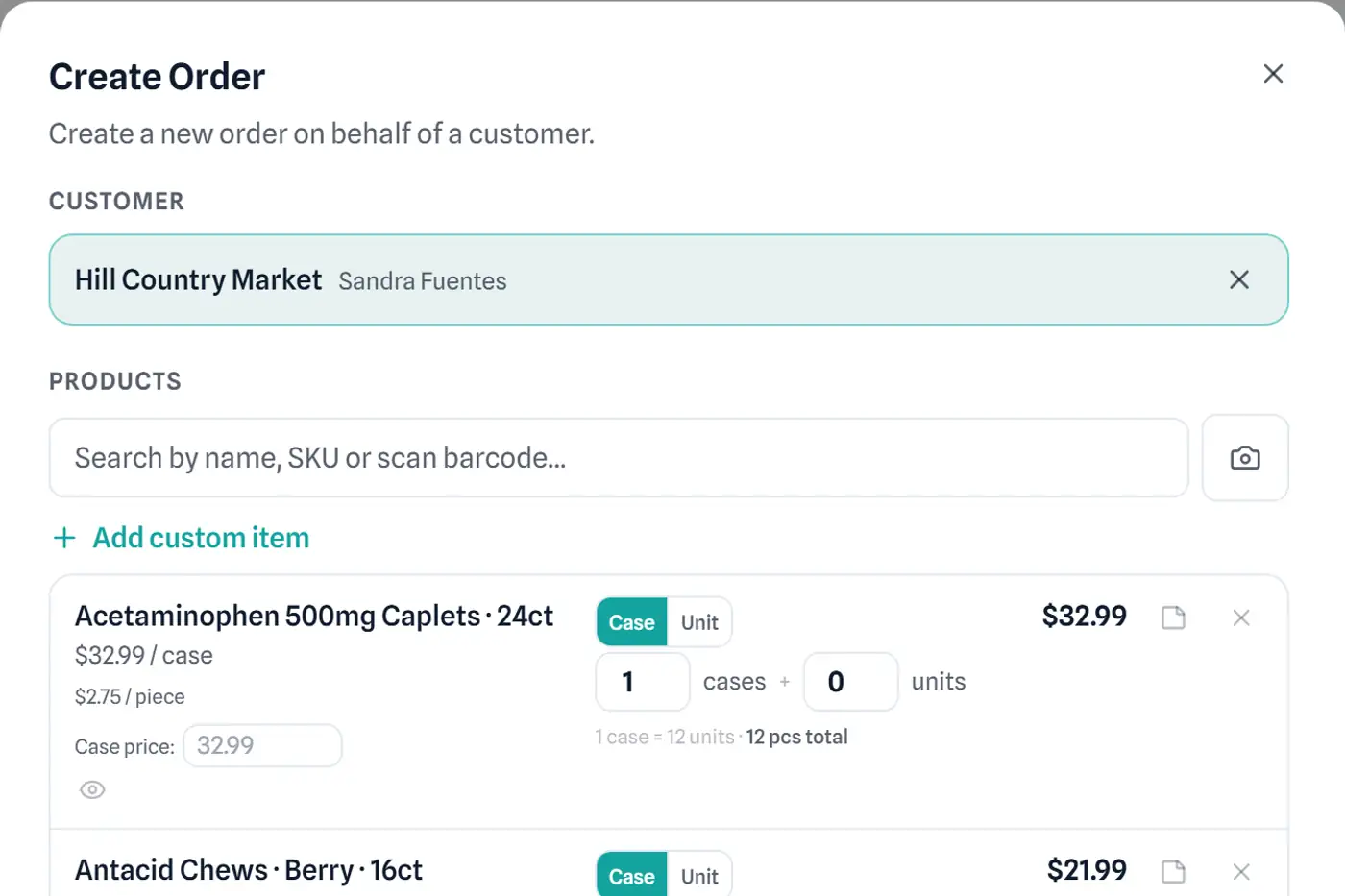
An order comes in however your customer gives it to you — a call your staff keys in, a standing order that repeats itself, or the customer placing it directly through their own buyer portal. Whichever way it starts, it lands as one order record.
The order prices itself against that customer's tier and any per-product overrides you've set — the same pricing engine whether the order was typed by hand or generated from a standing order.
The order joins the day's route. Stop order is optimized for time or distance and checked against real delivery windows.
The driver captures a signature and photos at the stop, and records exactly what was delivered — including a short-pick or refusal — not just what was on the original order.
The invoice is generated from what was actually delivered, not just what was ordered. A short-pick or partial delivery adjusts the bill automatically.
Collected at the door in cash or check, or settled with the office. A driver's end-of-run settlement checks what they collected against what the system expected, with variance flagged rather than assumed.
THE PART SPREADSHEETS GET WRONG
Boxed pricing, customer-tier rates, standing orders, and driver settlement — the details that make or lose money on a wholesale order.
Sell by the box or the piece — RouteFlow tracks and converts both, so a partial-box order doesn't get charged a full-box rate by accident.
Set a pricing tier per customer and override individual product prices for individual accounts — your agreed rate applies automatically, every time.
A weekly standing order runs through the same tiered pricing as an order your staff types by hand, so a price change actually reaches your repeat customers.
Routes are optimized for time or distance and checked against each stop's delivery window — not just a straight line on a map.
A signature, photos, and a record of what was actually delivered versus what was ordered — for every stop.
Your driver can log a return right at the delivery — what came back, why, whether it restocks — without a follow-up call to the office.
A short-pick, a refusal, or a partial delivery adjusts the invoice automatically — you never manually re-key a smaller total.
Cash and check collected at the door are recorded against the invoice on the spot, and checked against what the system expected the driver to collect at end of run.
SEE YOUR WORKFLOW IN ROUTEFLOW
Keep the customer, items, and order status together. Give the office and warehouse the same starting point.
ILLUSTRATIVE PRODUCT VIEW
Use the rear receiving entrance.
LET’S TALK ABOUT YOUR WORKFLOW
Bring one example of how an order moves through your business. See where RouteFlow can connect the handoffs.